Product image
Product image
Product image
Product image
Product image
Product image
Product image
Product image

Ordify – Smart QR Code Restaurant Menu & Ordering System

(0)

$29.00

$49.00

(In stock)

Ordify is a Laravel-based digital QR menu and contactless ordering system for cafés, restaurants, and hotels—boosting speed, savings, and customer experience.

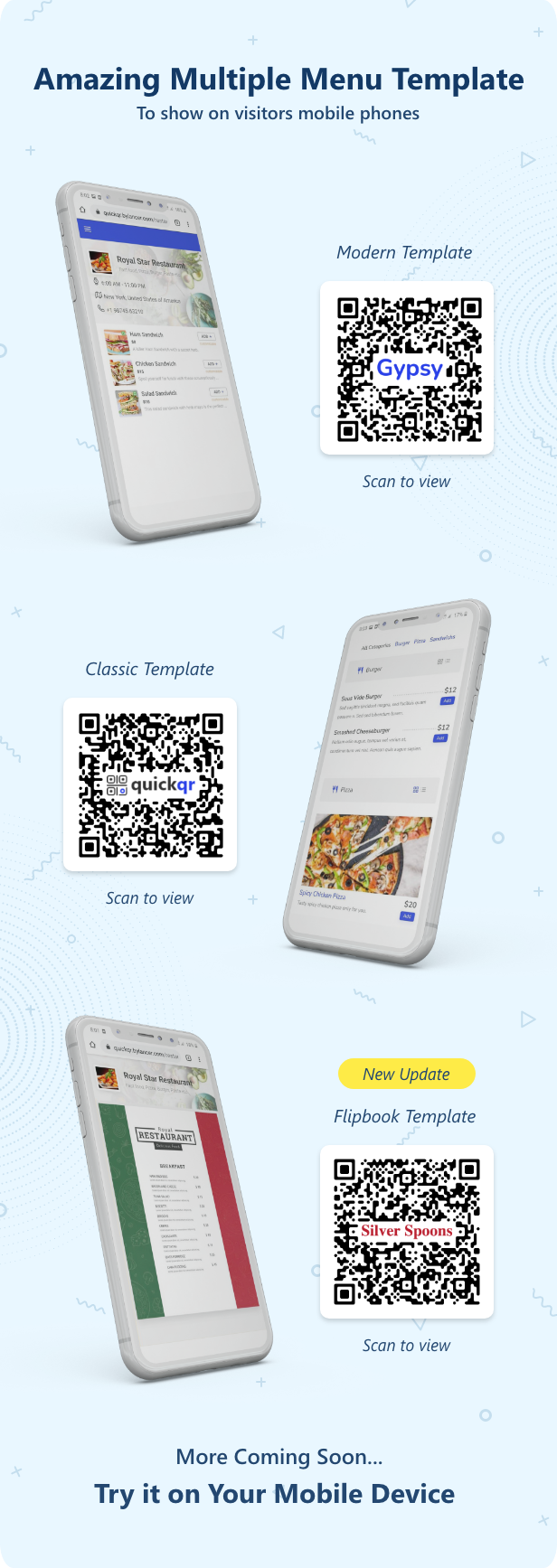
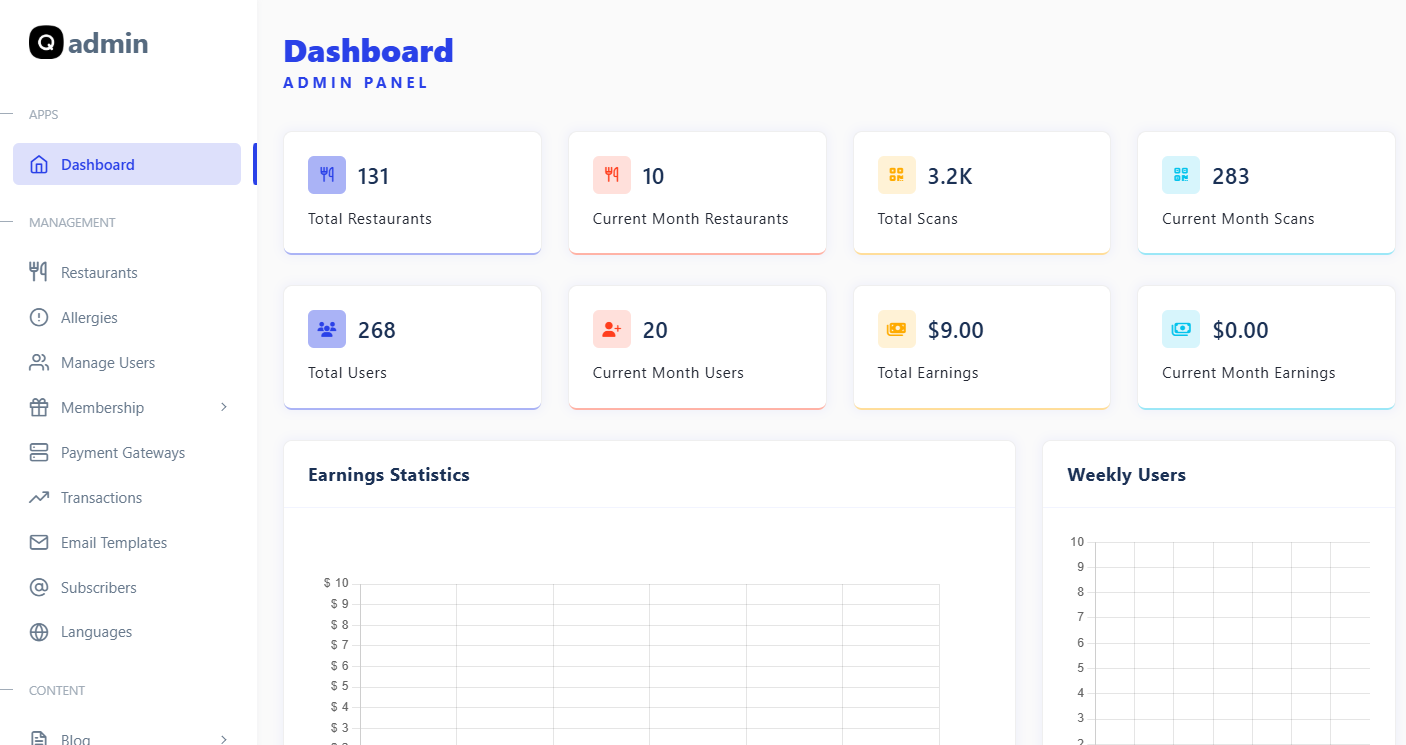
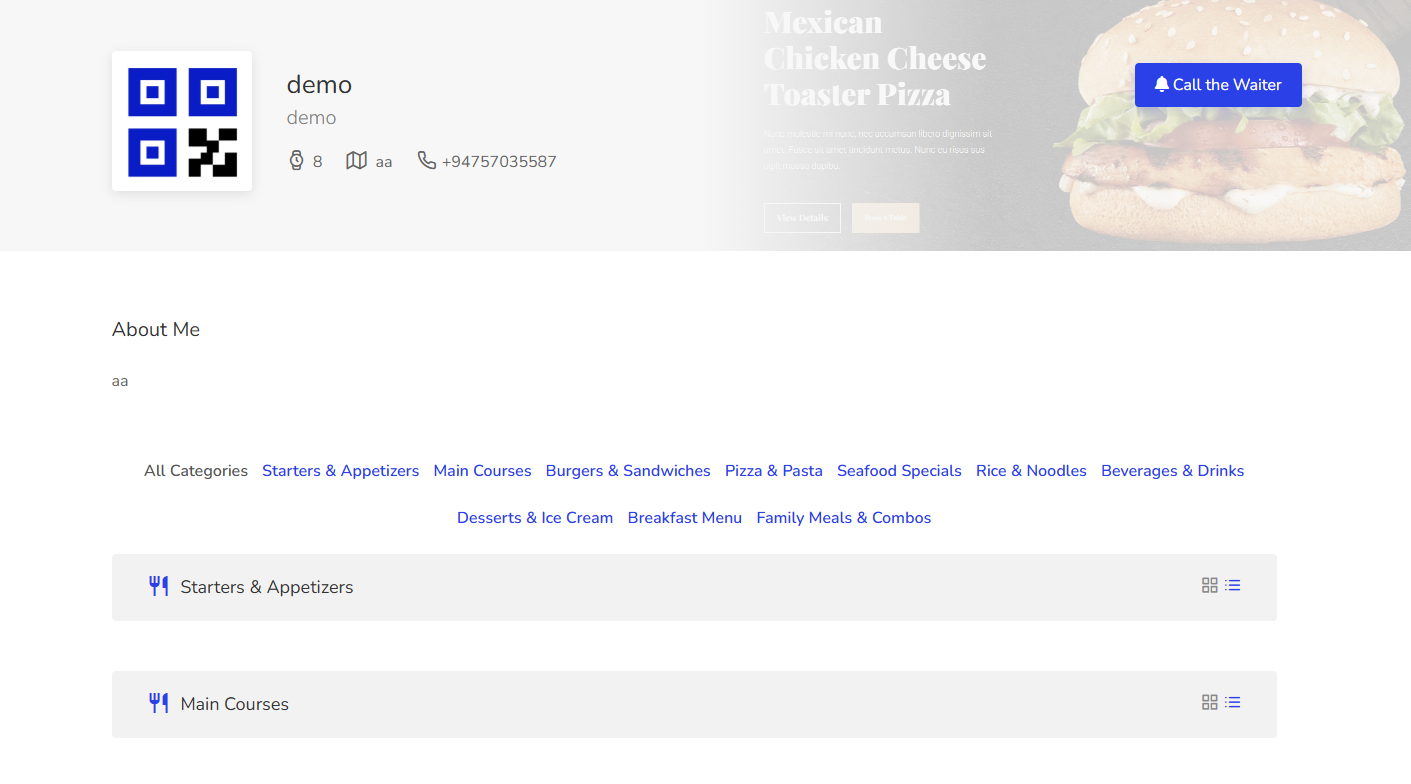
Ordify is a complete digital QR code restaurant menu maker and contactless ordering system built with the Laravel PHP framework. Restaurants, cafés, hotels, and bars can instantly create a QR code food menu that customers can scan with their phones to browse items and place orders—without touching physical menus or waiting for staff.

This contactless restaurant menu software helps save time, speed up service, and reduce printing costs. Whether you operate a single café or manage multiple restaurant branches, Ordify is the fastest way to launch a QR-based menu ordering system and start accepting orders online in just a few minutes.


Demo : (Click Here)

Restaurant : (Click Here)

Username: demo  

Password: 12345678   

Admin Panel : (Click Here)

Username: admin 

Password: 12345678 
 

img1
 

overoll
rest
menudes
generateqr

Why Choose Ordify ?

  • Contactless Ordering System – Customers scan, browse, and order from their phones.
  • Eco-Friendly Digital Menu – Reduce printing costs and paper waste.
  • Multi-Restaurant & SaaS Ready – Create unlimited restaurants with full admin control.
  • Instant Setup – Launch your digital menu in less than 5 minutes.
  • Laravel PHP Script – Secure, scalable, and easy to customize.

How Ordify Works (for Restaurants)

  1. Register your restaurant and create an account.
  2. Build your digital menu with items, images, prices, and extras.
  3. Generate QR codes for tables or print them on flyers and boards.
  4. Receive instant orders directly in your admin panel.

How It Works (for Customers)

  • Scan the restaurant QR code with any phone.
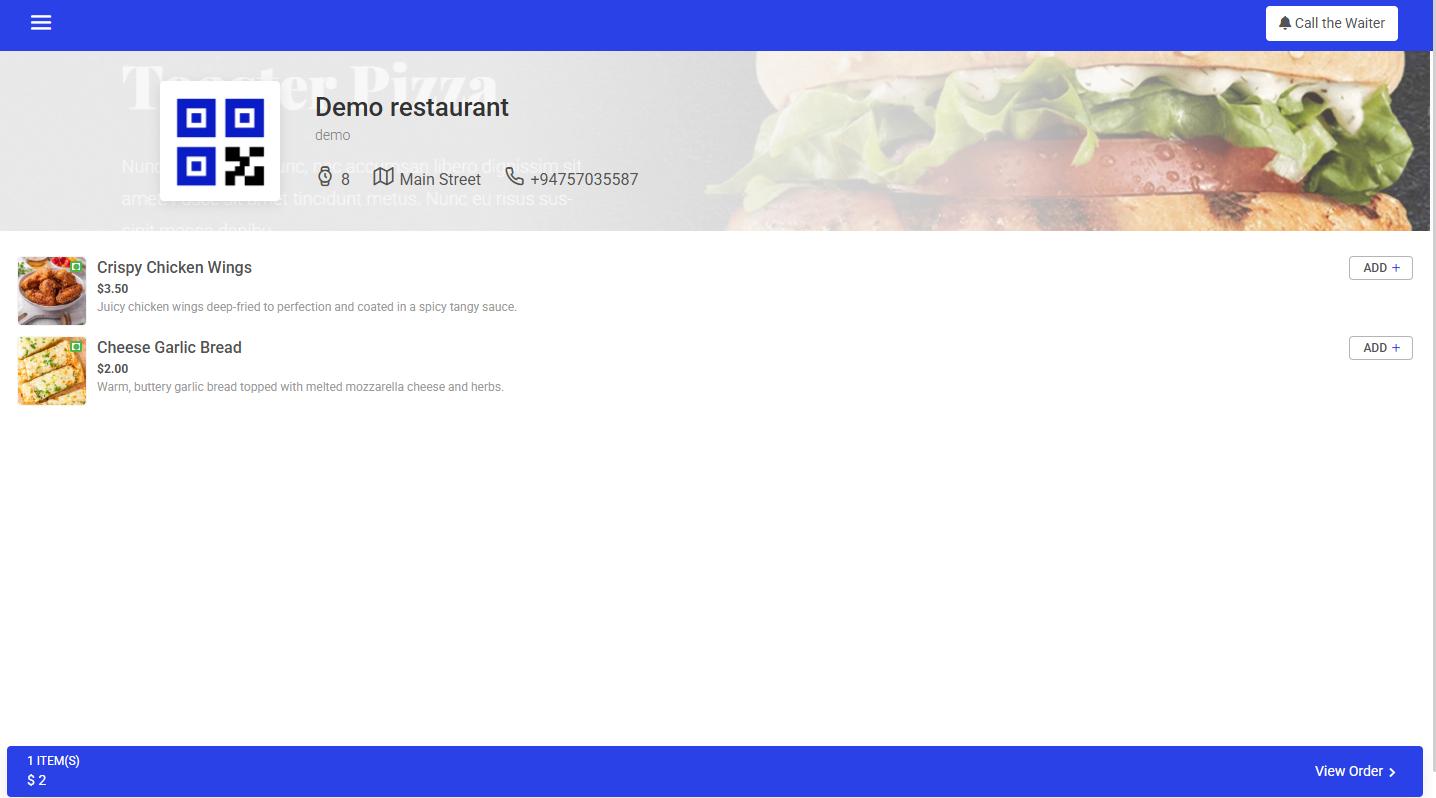
  • Browse the digital food menu without downloading apps.
  • Place orders instantly—fast, safe, and contactless.

Benefits of a Digital QR Code Menu

  • Reduce printing costs and waste with an eco-friendly digital menu.
  • Deliver a safer, contactless dining experience.
  • Update menu items and prices anytime—no reprinting required.
  • Gain insights into customer ordering behavior.
  • Add QR codes to anything: tables, flyers, boards, or marketing materials.

Key Features of Ordify (Laravel CMS)

  • Membership system (Monthly, Yearly, Lifetime)
  • Discount coupons & tax support
  • 15+ integrated payment gateways (PayPal, Stripe, Razorpay, Paytm, etc.)
  • Multi-language support (Arabic, Hindi, French, Spanish, Italian, German, Japanese)
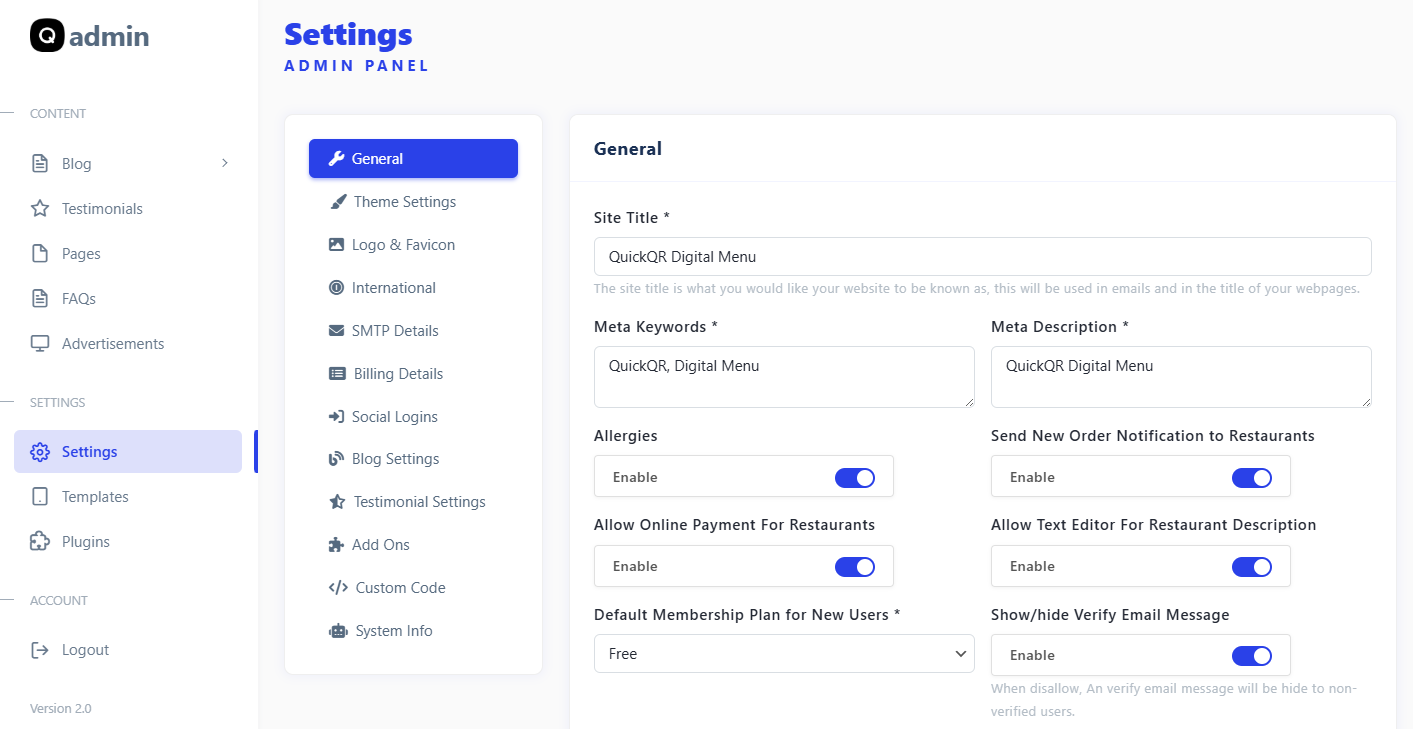
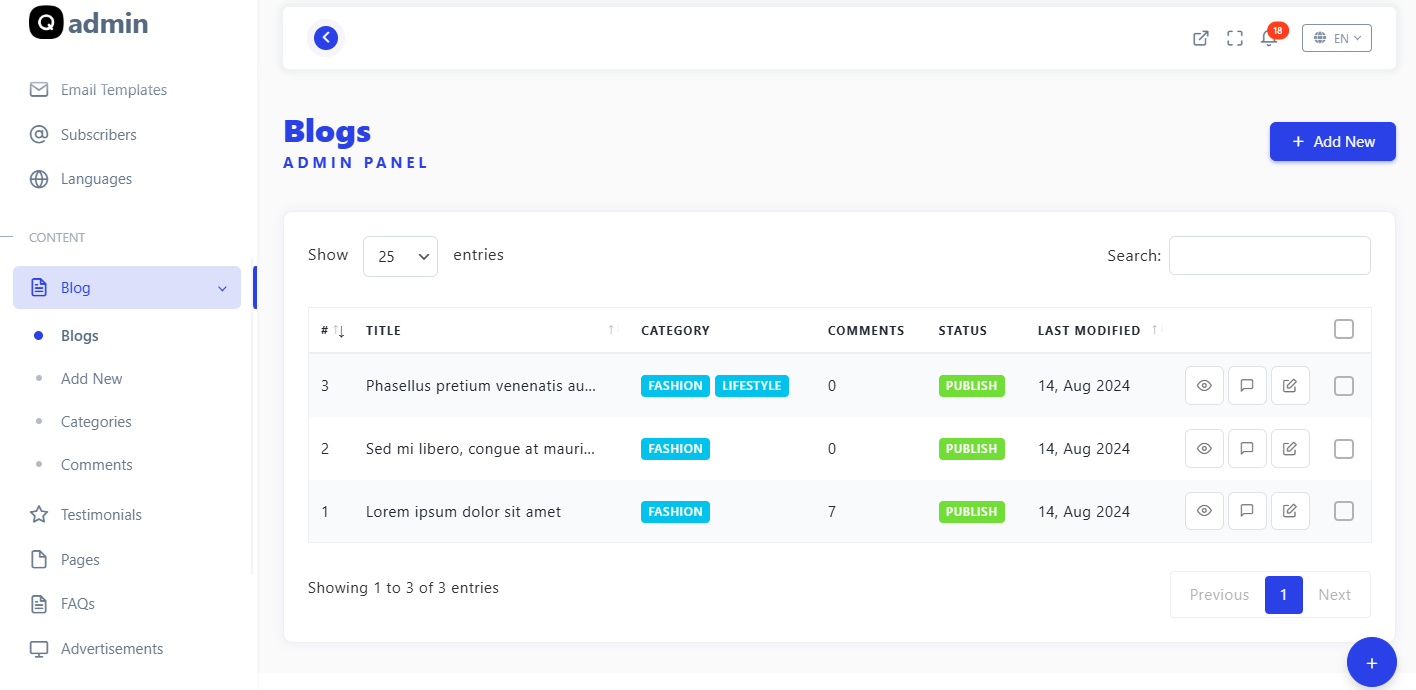
  • Advanced admin panel & CMS pages (FAQ, Blog, Privacy, Terms, etc.)
  • Google login, Facebook login, reCAPTCHA, and Adsense support
  • Fully responsive Bootstrap design
  • SEO optimized for Google ranking
  • Simple wizard installation and upgrade

How to make a contactless digital QR Code menu for your restaurant or bar?

The easy and quick process of creating a QR Code menu makes Ordify the best QR menu maker among others. In less than a minute create your restaurant’s menu QR Code with this no contact digital menu maker.

It helps your customers to instantly communicate with you, at every moment. Take a look at these 4 steps restaurant’s menu creation process.
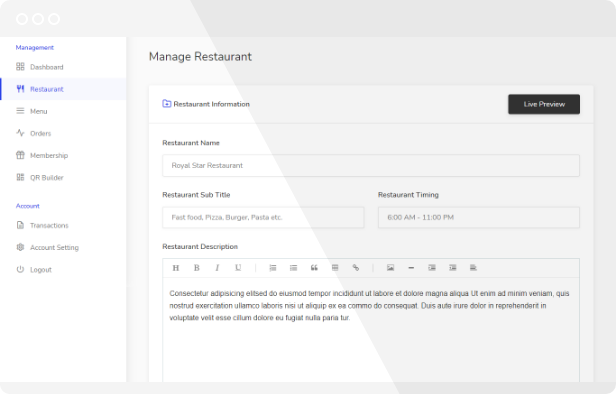
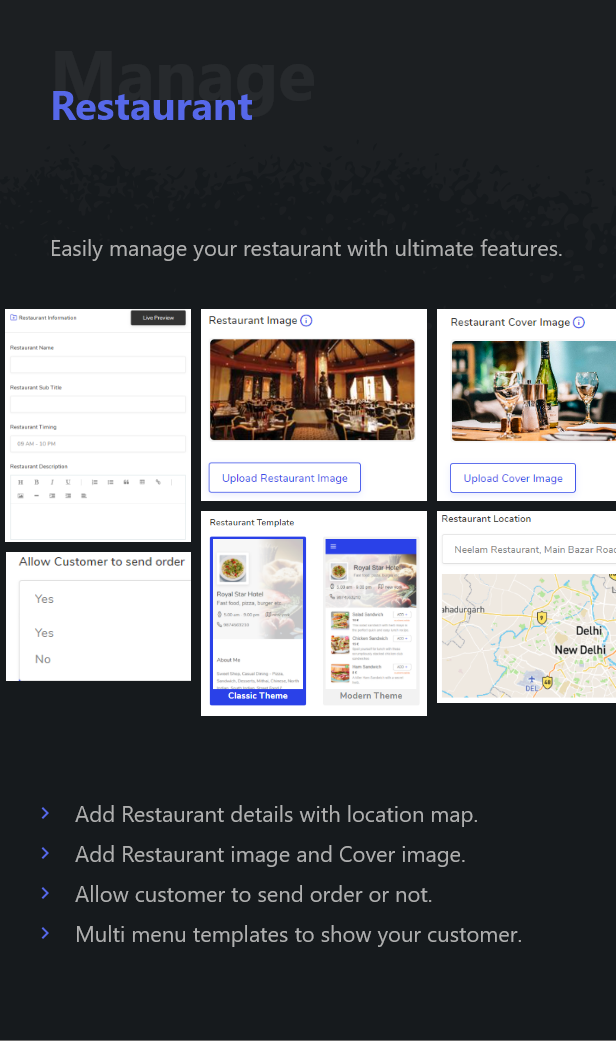
Step 1: Go to Ordify 's QR Code Manage Restaurant

step1
 

In this first step you need to fill in your restaurant’s information like restaurant Name, subtitle, restaurant timing, description of your restaurant, logo image, cover image, address location, etc. Also, you have an option to allow your customer to send an order or not. Why Ordify is the best QR Code menu maker because of its unique and advance multi-template feature that allows you to choose which template you want to show your customer.
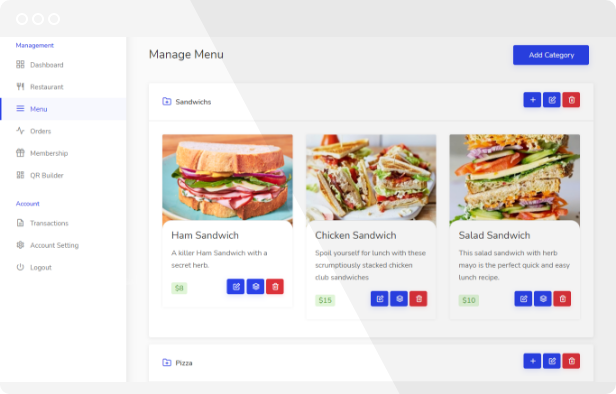
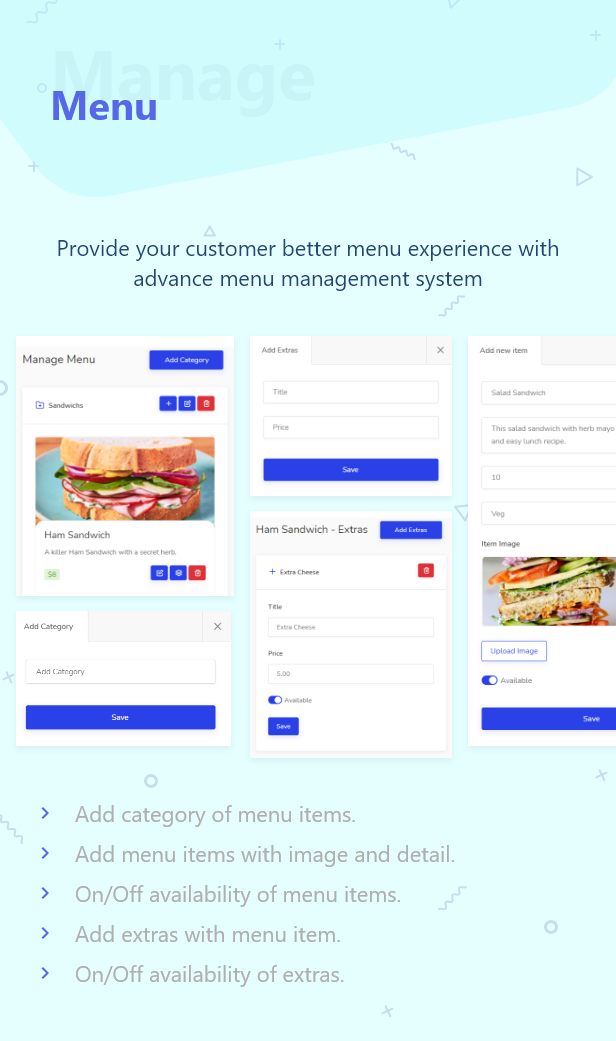
Step 2: Create a Restaurant Menu
 step2

Create your menu categories and their dishes or item, upload item images, add as much information as you want about the dishes you offer. Add extras to your menu item. You have the option to set the availability of an item and extras.
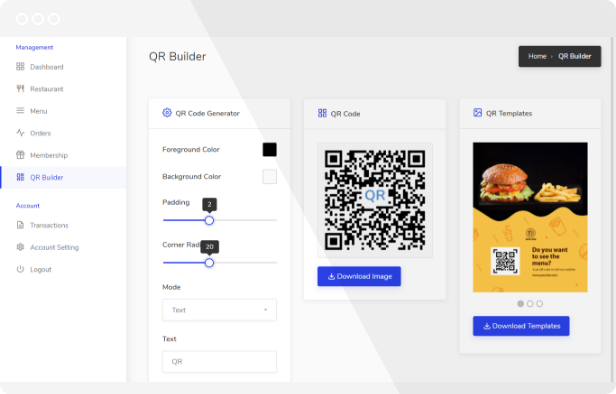
Step 3: Design QR Code

step3
 

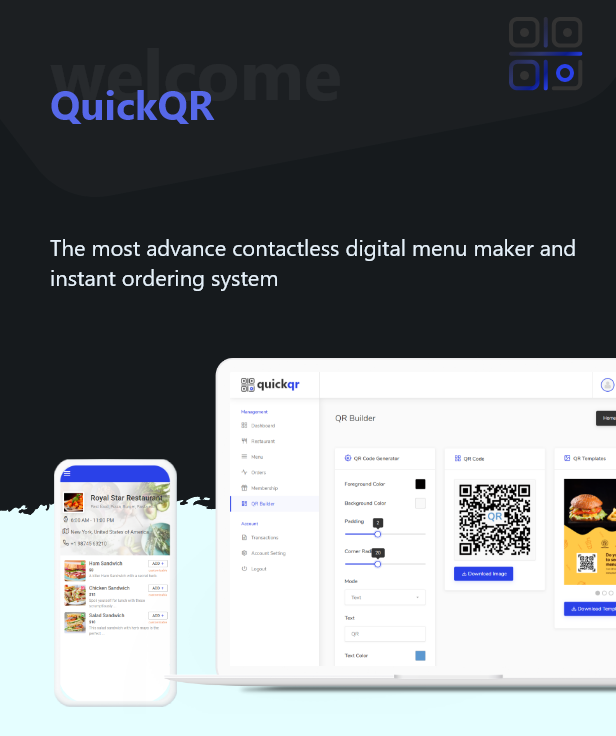
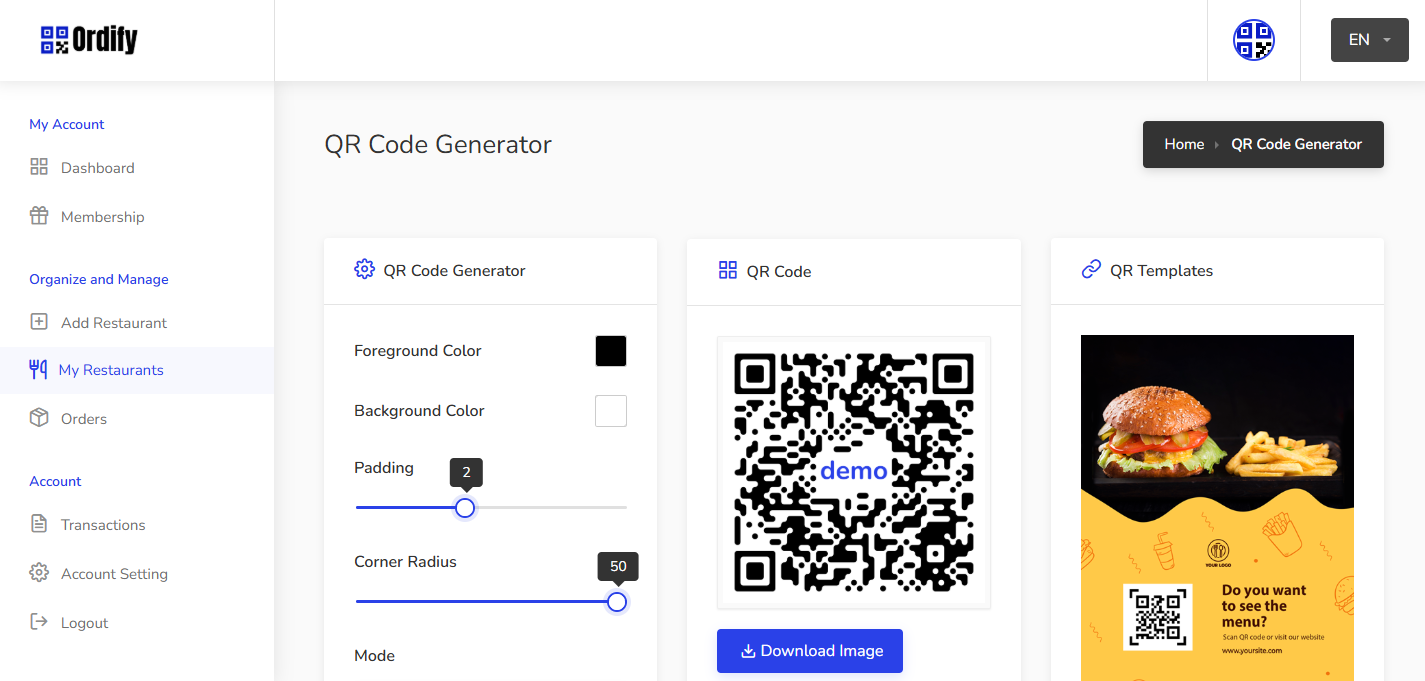
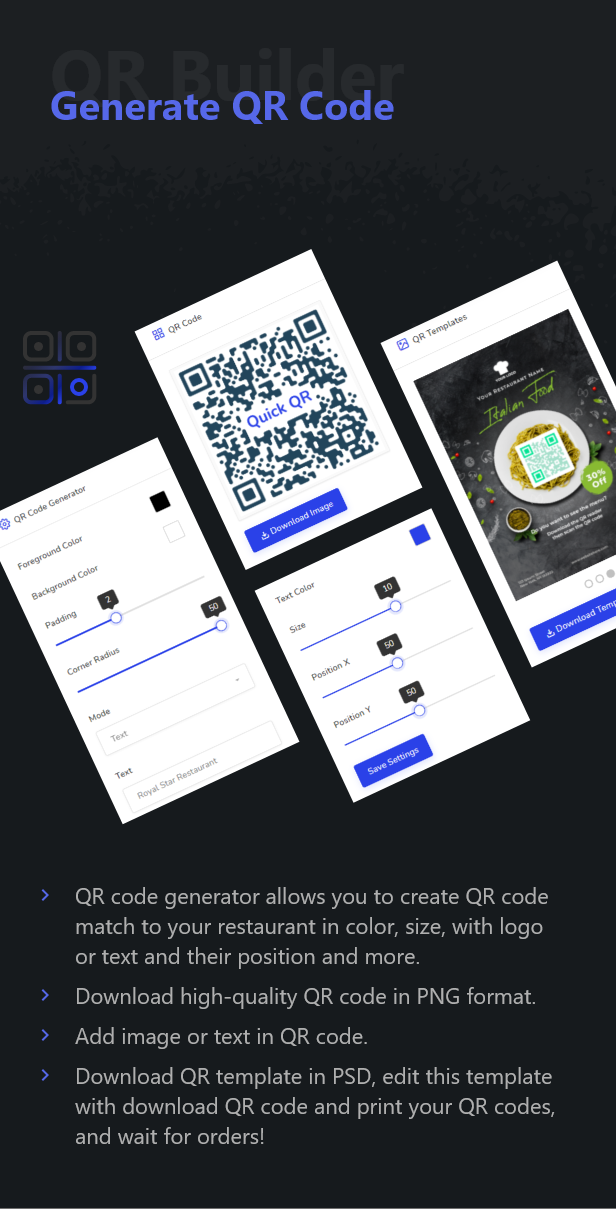
QR Code generator allows you to design QR code as you want. You can change the foreground color, background color, padding, corner radius, etc.

Also, you have the option to choose a mode of QR code with logo (set your logo icon in QR code), text (add your restaurant text or title in QR Code), or basic. change the size of the logo icon and text or its position to look perfect.
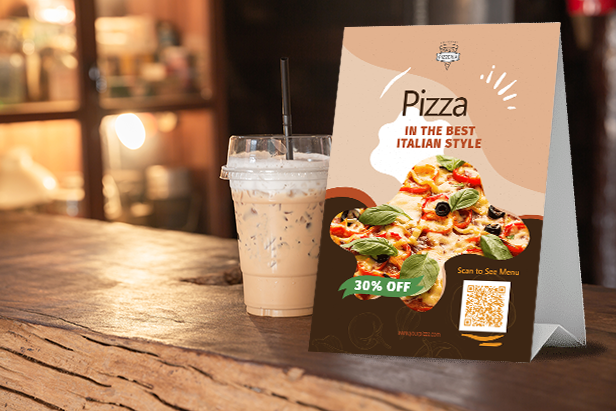
Step 4: Download a high-quality QR Code

step4
 

You have the option to download the QR Code in PNG format. Once downloaded QR Code, you can apply it in anything print materials from menus to marketing materials like flyers, table tents, and sandwich boards. We provide 3 pre-design QR template (Flyer), you can download them and edit them to print and online advertising. No need to reprinting your QR menu every time, you can live updates to your digital menu any time.

Why Ordify is the Best QR Menu Script

Ordify is trusted by thousands of restaurants worldwide. From small cafés to enterprise chains, it delivers a fast, secure, and contactless ordering solution that works on any device. With multi-restaurant support, SaaS features, and built-in payment gateways, Ordify is the most complete QR code restaurant menu system available on CodeCanyon.

Start your digital menu journey today with Ordify – the leading QR menu script for restaurants.

Main Features

  • Simple wizard installation and upgrade.
  • Membership System (Monthly, Yearly, Lifetime)
  • Discount Coupons
  • Taxes
  • Multiple Payment Gateways support
  • Bootstrap – Classic Design
  • Multi-language Support (Arabic, Hindi, French, Spanish, Italian, German, Japanese Included)
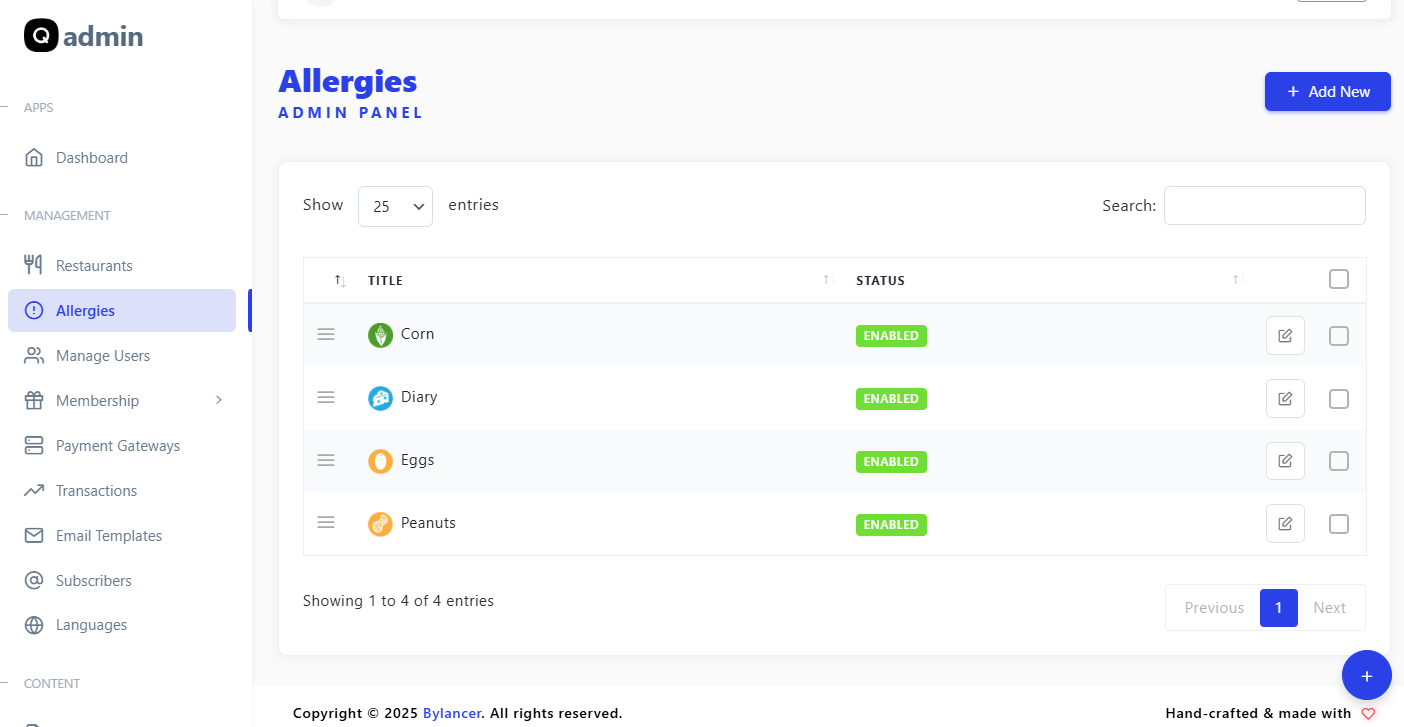
  • Powerful Admin panel for controlling your site.
  • New pages (FAQ, Contact Us, Feedback, Privacy and Terms)
  • Blog and Testimonials
  • SEO optimized
  • Change the currency
  • Transaction History
  • Adsense Support
  • Facebook Login
  • Google+ Login
  • Unlimited Colors
  • Google captcha integrated
  • Live Support Chat (Tawk.to)
  • Laravel Framework
  • Easy to edit html template files.
  • Fully Responsive
  • And many more…

15 Payment Gateways Plugins Included

  • Wire Transfer (Offline) Payment Gateway
  • Paypal Payment Gateway
  • Stripe Payment Gateway
  • Payumoney Payment Gateway
  • Mollie Payment Gateway
  • Paystack Payment Gateway
  • Paytm Payment Gateway
  • 2Checkout Payment Gateway
  • CCAvenue Payment Gateway
  • Iyzico Payment Gateway
  • Midtrans Payment Gateway
  • Paytabs Payment Gateway
  • Telr Payment Gateway
  • Razorpay Payment Gateway
  • Paddle Payment Gateway

System Requirements

  • Server Requirements
    • PHP 8.2x
    • MySql: 5.7+
  • Required Upgrades
    • allow_url_fopen = on
    • max_execution_time = 600
    • max_input_time = 600
    • post_max_size = 1G
    • memory_limit = 1024M
    • upload_max_filesize = 1G
  • PHP Extensions
    • BCMath
    • Ctype
    • Fileinfo
    • JSON
    • Mbstring
    • OpenSSL
    • PDO
    • pdo_mysql
    • Tokenizer
    • XML
    • cURL
    • zip
    • GD

Get fast and affordable hosting for Ordify with Hostinger — includes free domain, SSL, and 24/7 support.  
Start Hosting with Hostinger

Read More

Add your review

Your email address will not be published. Required fields are marked *

Please login to write review!

Upload photos

Looks like there are no reviews yet.

Ordify is a SaaS platform that helps restaurants, cafés, and hotels create and manage digital QR code menus. Customers can scan the QR code, view the menu, and place orders directly from their phones.

No installation is required. Ordify is a fully cloud-based platform. We offer free installation and setup on your domain or subdomain — you can start managing your menu instantly.

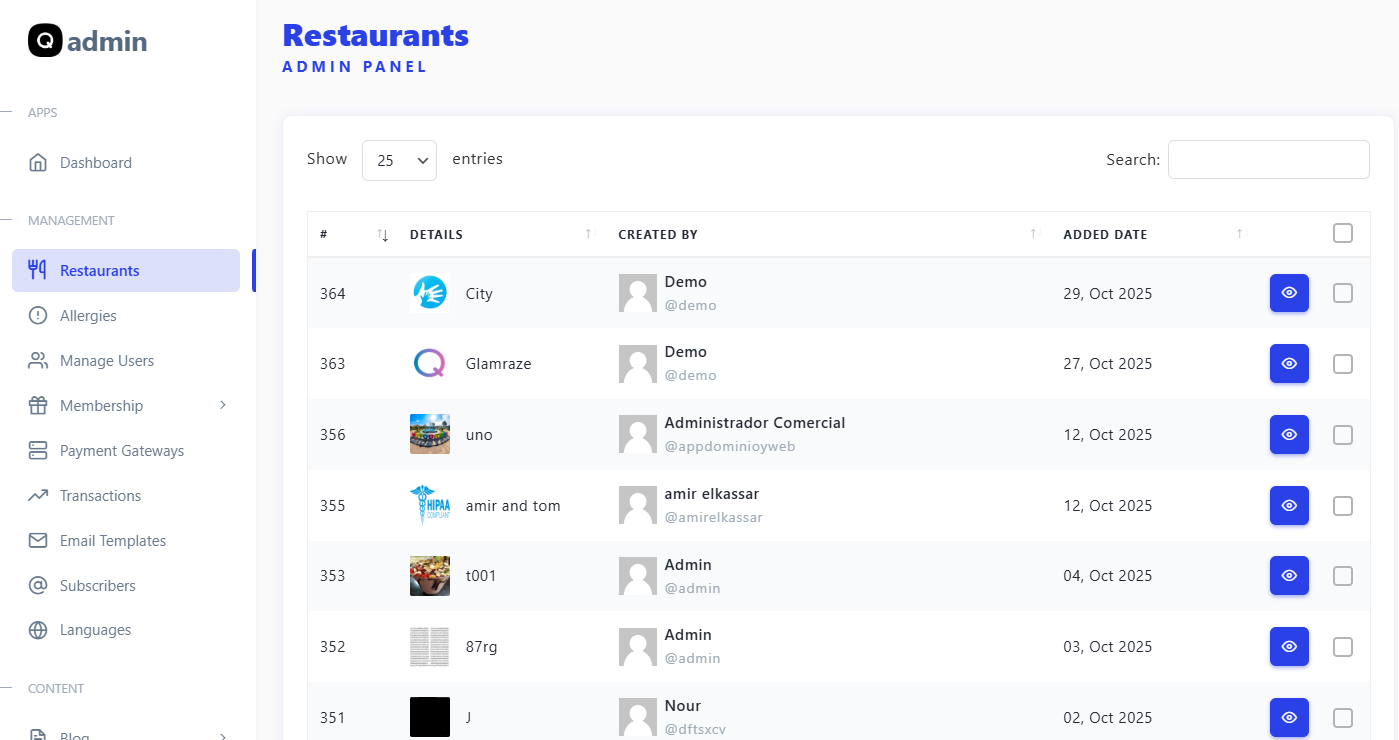
Yes! Ordify supports multi-restaurant management, allowing you to create and control multiple menus, branches, and staff accounts from one dashboard.

Absolutely. Ordify is 100% responsive, so both restaurant owners and customers can access it easily from smartphones, tablets, or desktop devices.

Once customers scan your restaurant’s unique QR code, they can browse your digital menu, select items, and place an order without needing assistance from staff — completely contactless and hassle-free.

Yes, we offer free installation for all Semicolans products. If you already have your own domain and hosting, our technical team will complete the installation remotely via AnyDesk for your convenience.

No problem — we’ll guide you through setting it up. We recommend Hostinger for best speed, uptime, and reliability. You can purchase hosting and domain using our official referral link below: Get Hosting from Hostinger

Once your domain and hosting are ready, installation typically takes less than 30 minutes. Our team ensures your system is fully functional and configured properly before handover.

Yes, we provide free support after installation to help you get started, resolve any setup issues, and ensure smooth operation. You can reach us anytime through WhatsApp or email for assistance.

Yes, if a free version upgrade of your product becomes available, we’ll provide it at no additional cost to ensure you’re always running the latest and most secure version.

You may also like

Take it to your cart

Image NewsLetter
Icon primary
Newsletter

Subscribe our newsletter

By clicking the button, you are agreeing with our Term & Conditions
Your experience on this site will be improved by allowing cookies Cookie Policy