DineTaker lets you create and manage digital menus for your restaurant effortlessly. Keep menus simple, smart, and always up-to-date, enhancing customer experience and streamlining your restaurant operations.

At DineTaker, we give restaurants everything you need — a powerful POS, QR menu, and table management — all in one place. Streamline your operations, delight your customers, and grow faster.
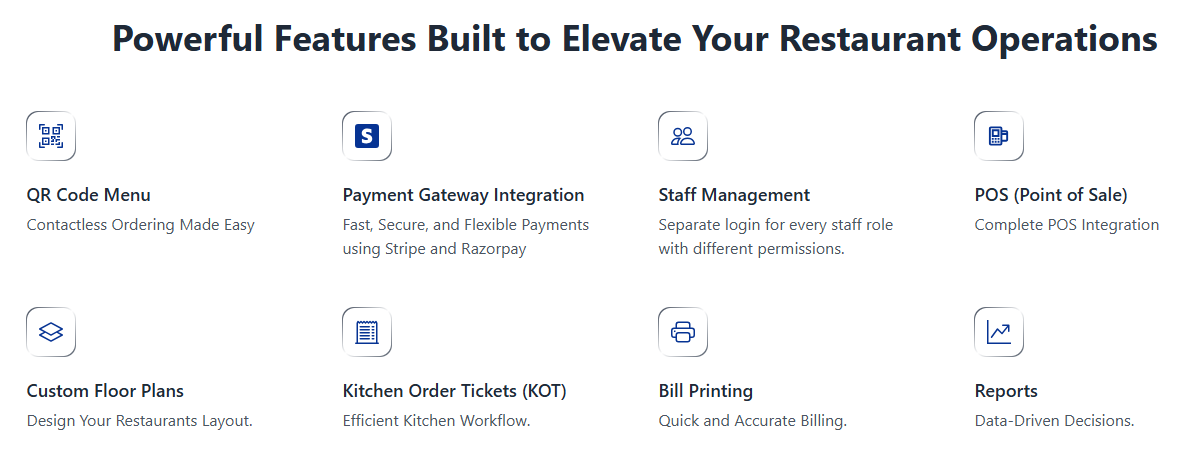
Manage dine-in, takeaway, and online orders from a single smart dashboard.
Keep your entire restaurant operation organized, fast, and error-free.
Customers can scan a QR code to browse menus, place orders, and pay instantly.
Reduce wait times, improve customer satisfaction, and boost table turnover.
Update prices, add new items, and manage specials anytime you want.
Changes appear instantly for both your staff and customers.
Design your restaurant layout digitally and monitor tables in real time.
Optimize seating, reduce customer waiting, and increase efficiency.
Assign custom access levels for waiters, cashiers, managers, and kitchen staff.
Keep your system secure while improving teamwork and accountability.
Integrated with Stripe and Razorpay for secure, fast, and convenient payments.
Give your customers multiple payment options without extra setup.
Orders are sent directly to the kitchen in real time.
This reduces mistakes, speeds up preparation, and improves order accuracy.
Generate bills, split payments, apply discounts, and close orders effortlessly.
Everything is handled smoothly inside DineTaker’s POS.
View daily sales, track staff performance, and monitor top-selling items.
Make smarter business decisions with detailed restaurant insights.
Try DineTaker free for one month!
No commitments, just a smart way to see how much easier restaurant management can be.
Q: How long does the trial last?
A: One full month — with access to all core features.
Q: Do I need special hardware?
A: No. You can run DineTaker on tablets or devices you already have.
Q: Can I switch plans later?
A: Yes. You can upgrade or change your plan anytime based on your needs.
Take Control of Your Restaurant Today!
Start your free trial now and experience the power of DineTaker.


By clicking the button, you are agreeing with our Term & Conditions