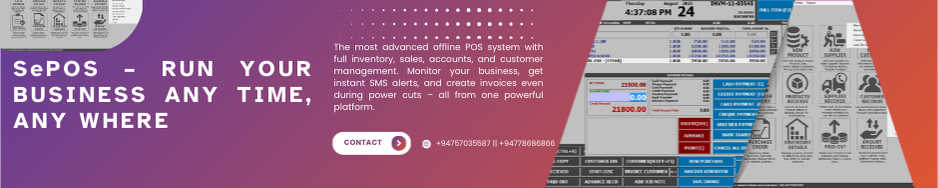
SePOS is an advanced POS and inventory management software by Semicolans, designed for retail, restaurant, and supermarket businesses to manage sales, stock, and accounts efficiently.
Watch how our advanced POS system simplifies billing, inventory, and business management — all in one powerful platform.
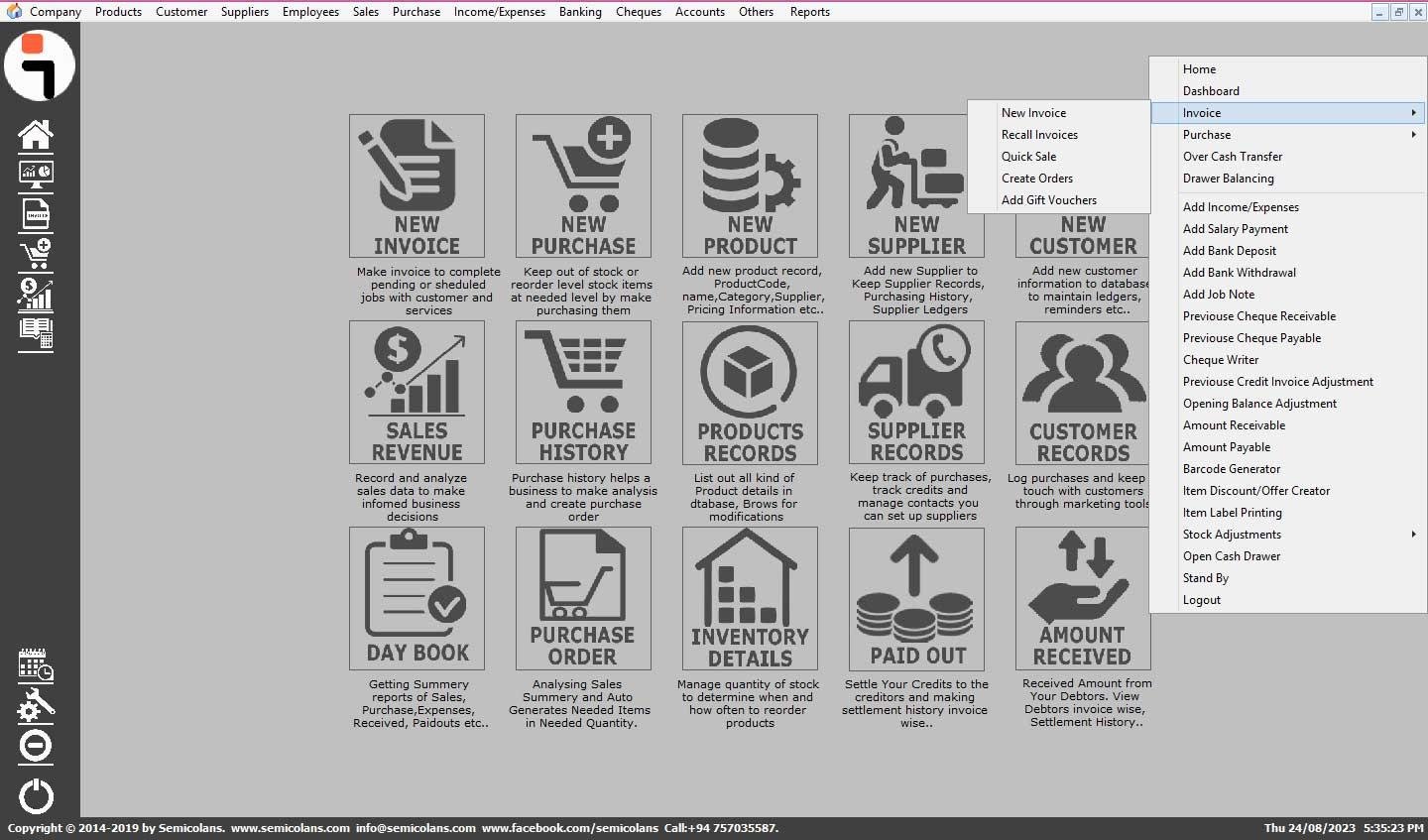
SePOS – THE MOST ADVANCED AND EFFICIENT POS SOFTWARE
Offline POS with Online Monitoring, SMS Notifications & Full Business Control Anywhere
SePOS is an offline-first POS and business management system for retail, wholesale, supermarkets, restaurants, pharmacies, hardware stores, and multi-category businesses. Even without internet or electricity, your business never stops.
Owners can monitor all activities via the SeReports mobile app, receive SMS notifications, generate invoices offline, and sync data automatically once connected to the internet.
A Semicolans Product
CORE FEATURES OF SePOS
1. Product & Inventory Management
Manage products, stock, and pricing efficiently.
- Unlimited Products: Barcode, SKU, serial/IMEI, batch & expiry tracking.
- Multiple Suppliers & Categories: Organize by supplier, category, or subcategory.
- Advanced Pricing System: Retail, wholesale, loyalty, customer-specific, offer, and category-based pricing.
- Quantity-Based Discounts & Offers: Set discounts or free issues for minimum quantities.
- Auto-Generate Purchase Orders: System generates POs based on last sales and supplier cycles; send via SMS.
- Rack & Display Planning: Optimized item placement and quantity recommendations.
- FIFO Stock Management & Expiry Tracking: Auto-removal of zero-price or expired items.
- Local & Cloud Backup: Product and inventory data saved locally and synced to the cloud.
2. Customer & Supplier Management
Track every customer and supplier detail efficiently.
Customer Management:
- Complete profiles, transactions, balances, and credit limits.
- Loyalty points, redemption, and customer-specific discounts.
- Returns, warranties, and credits tracking.
- Send ledgers, offers, and reports via SMS.
- Add customers directly from invoice window.
Supplier Management:
- Multiple suppliers per product.
- Track transactions, payments, and balances.
- Supplier-specific pricing and PO management.
- Send purchase orders and ledgers via SMS.
3. Sales & Purchase Management
Fast, reliable, offline-ready billing system.
- Offline invoicing without internet or electricity.
- Multi-payment support: cash, card, credit, or combination.
- Purchase tracking with tax, discounts, and last purchase price reference.
- Job notes/service tracking with serial/IMEI.
- Analytics for fast-moving items, top-selling products, and GP-wise performance.
- Customer-specific pricing, category discounts, and loyalty integration.
- Auto-sync to cloud when online; down-sync ensures SePOS updates.
4. Cash, Bank & Accounts Management
Manage all financial transactions with ease.
- Cash & Card Accounts: Real-time tracking.
- Bank Accounts & Cheques: Record received, issued, deposited, or returned cheques.
- Full Accounting Suite: Profit & Loss, Balance Sheet, General Ledger, Creditor & Debtor, Capital & Liability, Asset Register.
- Fast Payments & Receipts: Record all transactions in seconds.
- Comprehensive Tracking: Monitor all accounts to ensure accuracy.
5. Employee & User Role Management
Efficient staff management with full control.
- Unlimited employee accounts.
- Role-based permissions to restrict access.
- Activity tracking for billing and system usage.
- Secure sensitive data and prevent unauthorized actions.
6. Offer, Promotion & Discount Management
Automate pricing and promotions.
- Custom discounts for products, categories, or suppliers.
- Seasonal/festival promotions, combo offers, and wholesale pricing.
- Auto-apply rules based on customer type or group.
- Loyalty points integration for enhanced retention.
7. Advanced Job Note & Service Module
Professional repair and service management.
- Track jobs from check-in to delivery.
- IMEI / Serial number tracking.
- Billing for spare parts, service charges, and warranty.
- Print professional job receipts.
- Update stock and accounts automatically.
8. Powerful Reporting System
Detailed insights for every module.
- Sales & return reports, purchase & GRN reports.
- Expense, stock, and multi-payment reports.
- Profit & Loss, Balance Sheet, Cash/Bank ledger, Assets, Liabilities, Receivable/Payable.
- Employee billing, commission, and performance tracking.
- Customer loyalty, credit/debit, and outstanding balance reports.
- Day-end summary and full business overview in one PDF.
9. SMS Notification Module
Real-time updates for owners anywhere.
- Alerts for every invoice, purchase, stock adjustment, expense, payment, refund, job note, credit/debit change.
- Daily summary and full business report.
- Send customer/supplier ledgers and purchase orders via SMS.
- E-invoice links sent to customers automatically.
10. Offline POS with Online Monitoring
Operate without interruption and monitor anywhere.
- Works completely offline; continue billing even without electricity or internet.
- SeReports Mobile App: Monitor live sales, stock, and performance.
- Sync & Backup: Automatic up-sync to cloud and down-sync to SePOS ensures data safety.
- Unlimited devices and multi-branch support.
- Full business continuity, with offline invoicing, stock adjustments, and payments.
11. Power Cut & No Internet Operation
Business never stops.
- Mobile app allows offline invoicing and payment collection.
- Add products, customers, suppliers, and adjust stock offline.
- Purchase invoices & quotations prepared offline sync automatically when online.
12. Customization & Templates
Personalize SePOS for your business.
- Change company name, logo, address, GST/VAT anytime.
- Multiple invoice templates & sizes.
- Barcode label templates with customizable sizes.
- Self-managed, no support needed for small changes.
13. Support & Task Management
Professional support at your fingertips.
- Dedicated support team for installation & queries.
- CRM ticketing system to track and manage tasks efficiently.
- Call or submit requests for urgent help.
WHY BUSINESSES CHOOSE SePOS
- Offline POS with full monitoring via SeReports
- Invoice & billing during power cuts & internet downtime
- SMS notifications for every business activity
- Local and cloud backup for data safety
- Advanced inventory, accounting, and pricing system
- Unlimited devices & multi-branch management
- Intelligent PO & rack display system
- Loyalty, discounts & offer automation
- Customizable invoices & barcode labels
- Full business summary reports in one PDF via SMS/email
Get SePOS Today
Take full control of your business — sales, stock, cashflow, accounts, customers, and more — with the most advanced offline POS system.
Download SePOS
Download SePOS Version 26.4.117.zip
Download SePOS and Click Here to Create a Support Ticket For Demo Installation
(Input Name with Mobile Number, Ticket Subject As SePOS Installation , Type : SePOS Installation, Assign Group : Technical)
Click Here For More Information
(Input Name ,Mobile Number and Email , Select Product As SePOS)
Click Here For Watch Installation Video
For quick help, WhatsApp us at
+94 757 035 587
Other Drivers & Softwares
EXPLORE OUR SePOS VIDEO TUTORIALS
- Introduction
- Product & Inventory Management
- Invoice Sales Analytics Part 1
- Invoice Sales Analytics Part 2
- Purchasing Management Part 1
- Purchasing Management Part 2
1. PRODUCT AND INVENTORY MANAGEMENT
1.1 Add New Item Intro 1
1.2 Add New Item Intro 2
1.3 Create New Barcode Products
1.4 Create New Product with Discount
1.5 Add Product with Different Price
1.6 Activate & Deactivate Delete Product
1.7 Add Product with Multi Prices Link 1
1.8 Add Product with Multi Prices Link 2
1.9 Add Product with Multi Prices Link 3
1.10 Modify Product Details 2
1.11 Modify Product Details Code 3
1.12 Create Non Barcode Products 1
1.13 Create Non Barcode Products 2
1.14 Create Non Barcode Product Using Price Code 3
1.15 Add Opening Stock for Single Product
1.16 Stock Adjustment for Single Product
1.17 Stock Adjustment for Multi Price Link Products
1.18 Stock Adjustment for Multiple Products
1.19 Set All Products Stock to Zero
1.20 Stock Adjustment with Serial No
1.21 Add Products with Unicode
2. INVOICE AND SALES ANALYTICS
2.1 Making Cash Invoice
2.2 Making Credit Invoice2.3 Cancel Invoice
2.4 Cash Discount For Invoice
2.5 Item Discount On Invoicing2.6 Multiple Payment For Invoice
2.7 Make Invoice Without Printing
2.8 Duplicate Last Invoice & Invoice Copy2.9 Recall Invoices Print Invoice Copy
2.10 Update/Delete Items From Invoice List
2.11 Credit Invoice For Walking Customer 1
2.12 Credit Invoice For Walking Customer 2
2.13 Invoice Return or Exchange
2.14 Drawer Balancing - Part 1
2.15 Drawer Balancing - Part 2
2.16 Cancel All Discount Prices On Invoicing
2.17 Show Item Last Sold Price History
2.18 Show Item Discount Wholesale Prices On Invoicing
2.19 Show Item Cost & Qty Remain On Invoice
3. PURCHASING MANAGEMENT
3.1 Purchase with Cash
3.2 Purchase with Credit
3.3 Purchase With Own Cheque
3.4 Purchase With Party Cheque
3.5 Purchase With New Product
3.6 Update/Delete Item From Purchase List
3.7 Hold & Unhold Purchase Invoice
3.8 Cancel Purchase Invoice
3.9 Edit Purchase Invoice
4. CUSTOMER MANAGEMENT
4.1 Create New Customer
4.2 Update/Delete Customer
4.3 Add Customer Opening Balance (Method 1)
4.4 Add Customer Opening Balance (Method 2)
4.5 Add Customer Previous Credit Invoices
4.6 Undo/Delete Customer Credit Adjustments
4.7 Add Customer Over Payments
4.8 Amount Received
4.9 Customer Ledger & Reports
5. EMPLOYEES AND USER ROLE MANAGEMENT
5.1 Add New Employee
5.2 Modify Or Delete Employee Record
5.3 Create New User Account
5.4 Delete User Account
5.5 Change Username & Password
6. SUPPLIER MANAGEMENT
6.1 Add New Supplier
6.2 Update Delete Supplier Record
6.3 Add Supplier Opening Balance Method 1
6.4 Add Supplier Opening Balance Method 2
6.5 Add Supplier Opening Balance Invoice Wise
6.6 Supplier Ledger & Reports
6.7 Undo Delete Supplier Opening Balance Adjustment
6.8 Supplier Payment By Cash
6.9 Supplier Payment By Own Cheque
6.10 Supplier Payment By Party Cheque
6.11 Supplier Payment By Bank Transfer
6.12 Supplier Records & Reports
7. INCOME / EXPENSES MANAGEMENT
7.1 Add Direct Expenses
7.2 Add New Description
7.3 Add New Income
7.4 Add Salary Payment
7.5 Income Expenses History & Reports
7.6 Salary Payment History & Reports
8. BANK MANAGEMENT
8.1 Add New Bank
8.2 Modify or Delete Bank Account
8.3 Add Opening Balance to Bank Account
8.4 Add Bank Deposit From Drawer
8.5 Add Bank Deposit From Petty Cash
8.6 Deposit Cheque to Bank Account
8.7 Add Bank Withdrawals
8.8 Add Bank to Bank Transfer
8.9 Invoice & Purchase with Bank Transfer
8.10 Payable & Receivable with Bank Transfer
8.11 Bank Transaction History & Statement
9. CHEQUE MANAGEMENT
9.1 Add Previous Cheque In Hand
9.2 Add Previous Paid Cheques
9.3 Change Cheque Details - Previous Records
9.4 Change Cheque Details With Ledgers
9.5 Add Cheque Book Numbers
9.6 Sales & Purchase with Cheque Payment
9.7 Payable With Cheque
9.8 Payable with Party Cheque
9.9 Receivable With Cheque
9.10 Income & Expenses With Cheque Payment
9.11 Cheque Writer
10. CASH ACCOUNT MANAGEMENT
10.1 Add Opening Balance to Petty Cash
10.2 Adjust Petty Cash Amount
10.3 Payable From Petty Cash Account
10.4 Receivable Amount to Petty Cash Account
10.5 Expenses From Petty Cash
10.6 Bank Deposit From Petty Cash Account
10.7 Bank Withdrawal Amount to Petty Cash
10.8 Drawer Over Cash Transfer to Petty Cash
11. TROUBLESHOOTING
11.1 Invoice Serial No Already Exists On Invoice
11.2 Non Stop Printing - Clear Print Queue
11.3 POS Printer Paper Size Configuration
11.4 Printer Issue Check and Troubleshoot
11.5 Printer Issue After Updating Windows 10
11.6 Some Payment Already Exists Message
12. INSTALLATION AND MAINTANANCE
12.1 Installation Of POS Printer Birch CP Q1UN
SePOS is not just a POS system; it’s a complete business management solution. Whether you're looking to optimize inventory, enhance customer relations, or stay on top of your financials, SePOS makes it simple. With its flexible pricing options and real-time control, SePOS is the perfect solution to grow and manage your business efficiently. Start streamlining your operations and boosting profitability with SePOS today!
Find clear and simple explanations about SePOS features—from offline billing and cloud backup to SMS alerts, reports, and mobile monitoring through SeReports.
SePOS is an advanced offline POS software with full accounting, inventory, sales, purchase, and reporting features. Even without internet, SePOS works perfectly and syncs to cloud when online.
Yes. SePOS is a 100% offline system. You can fully operate sales, purchases, stock updates, and accounting without internet.
Yes. Using the SeReports mobile app, you can monitor sales, stock, expenses, profits, and all reports from anywhere, anytime.
You can continue billing using the SeReports mobile app, which works offline and syncs data automatically when the internet returns.
Yes. Your data automatically syncs to the cloud once internet is connected. Local backup is also available for safety.
Yes. SePOS includes a powerful SMS module that sends notifications for:
Every invoice
Purchase
Stock adjustment
Expenses
Payments received
Day-end report
Full business summary report
Ledger reports
Yes. You can send:
E-invoices
Customer/Supplier Ledgers
Purchase orders
directly via SMS.
Yes, Semicolans provides free installation via AnyDesk. Our support team is available through call or CRM support tickets.
Unlimited. You can use SePOS on multiple devices and sync data with SeReports when internet is available.
Yes. You can print barcode labels in multiple sizes, templates, and formats—including price, MRP, expiry, and custom designs.
Yes. SePOS lets you create:
Category & supplier-wise discounts
Quantity-based offers
Special customer prices
Loyalty points & redeeming system
Valid date–based promotions
Yes. SePOS has built-in accounting with:
P&L
Balance sheet
Cash/Bank/Card accounts
Debtor/Creditor ledger
Capital & asset records
Yes. With SeReports cloud sync, you can view consolidated and branch-wise reports for multiple locations.
Yes. SePOS users receive free system updates to ensure the best performance and security.
SePOS is suitable for retail, supermarkets, restaurants, hardware shops, pharmacies, electronics shops, fashion stores, wholesale shops, service centers, and more.
Get SePOS Today
Take full control of your business — sales, stock, cashflow, accounts, customers, and more — with the most advanced offline POS system.
Download SePOS
Download SePOS and Click Here to Create a Support Ticket For Demo Installation
(Input Name with Mobile Number, Ticket Subject As SePOS Installation , Type : SePOS Installation, Assign Group : Technical)
Click Here For More Information
(Input Name ,Mobile Number and Email , Select Product As SePOS)
Click Here For Watch Installation Video
For quick help, WhatsApp us at
+94 757 035 587


By clicking the button, you are agreeing with our Term & Conditions